01
Different services, different times
Set a duration and price for every treatment.
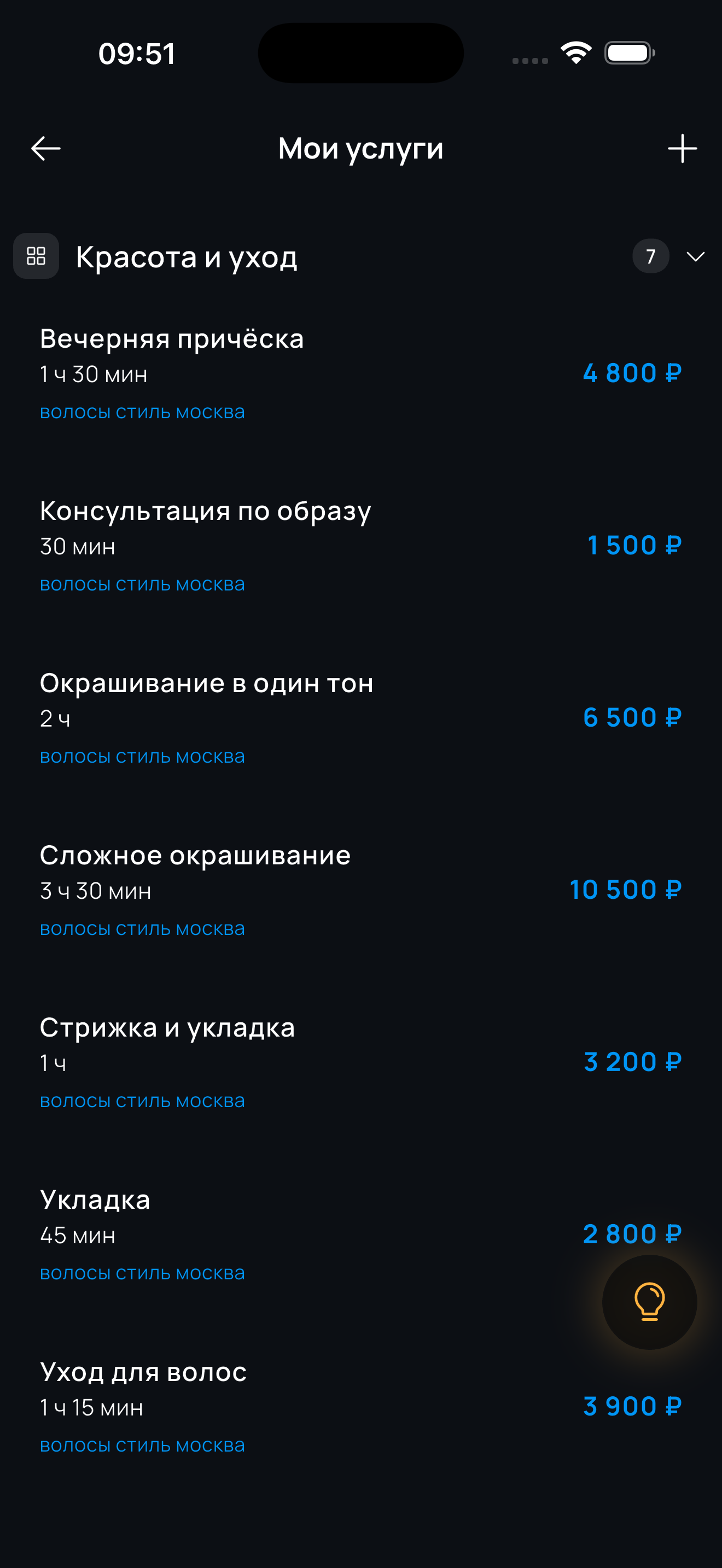
For any service business
Services and treatments take different amounts of time. Configure each service individually and keep control of your calendar.
The screenshots use a hairstylist’s profile as an example. Professionals in any field configure each service’s duration and price in the same way.
Set a duration and price for every treatment.
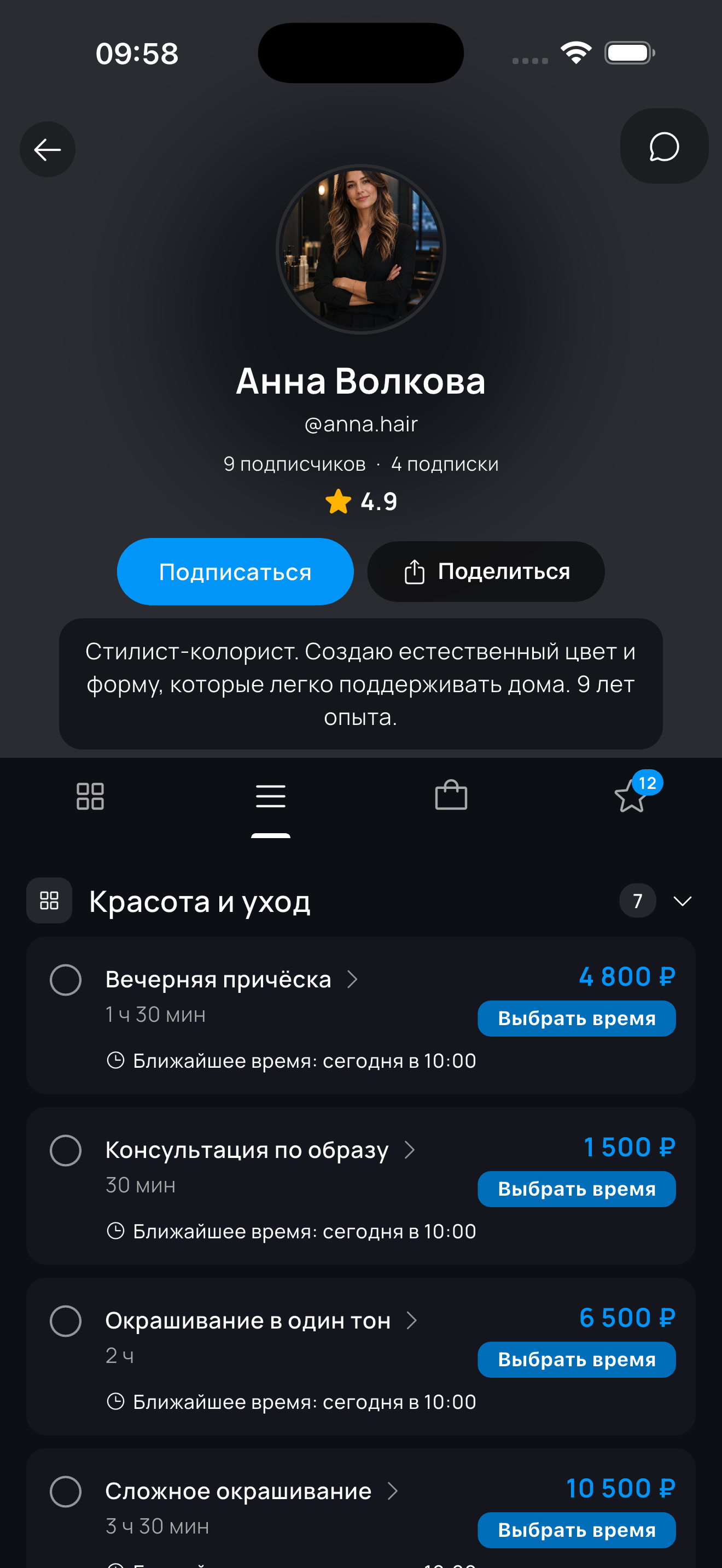
Your profile shows services, prices and duration.
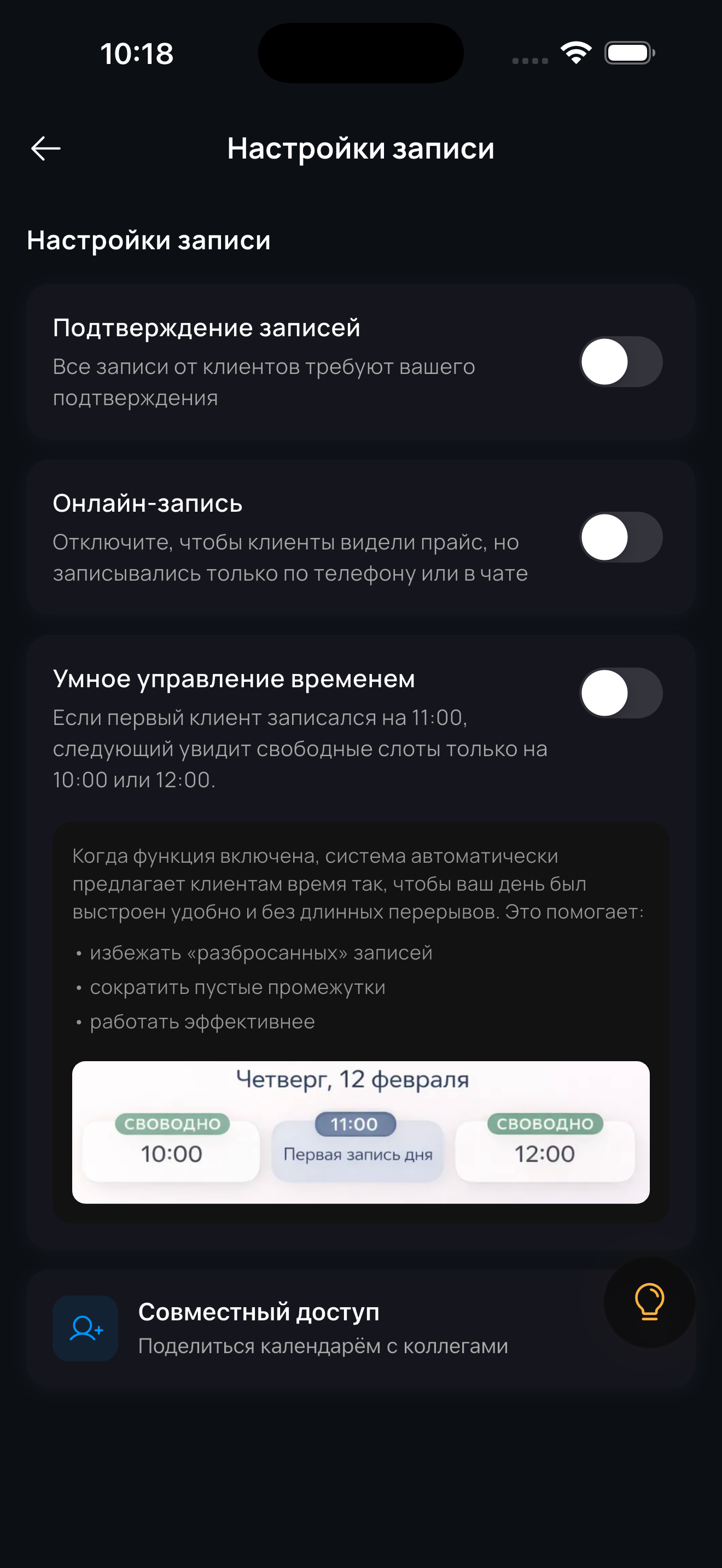
Turn off Online booking: clients can still see your price list, while you add appointments to the calendar yourself.
Yes, the platform works for independent professionals too: you can start for free and manage services, prices, your calendar and clients on your own — no third-party messengers or manual booking.
Each service has its own duration set in its card: a quick treatment at 30 minutes, larger jobs at several hours. You can create separate services for different treatments, or adjust the duration for a specific client right in the appointment.
Your public web profile with the service list, prices and durations. With online booking enabled, the client chooses a service and an available time on their own; if booking is disabled, they see the price list and contact you by phone or chat.